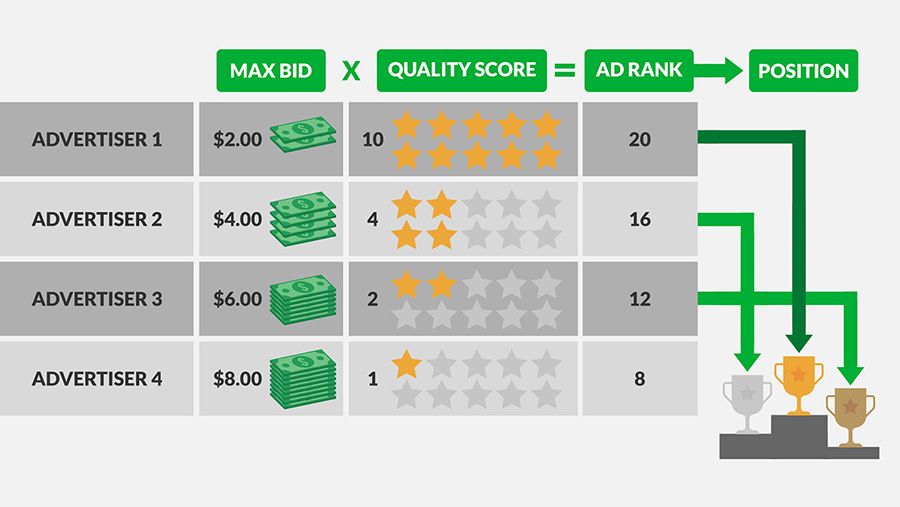
The quality factor is the biggest lever to save costs in the AdWords account. Google rates the click rate (CTR), ad relevance and landing page experience with a value of 1-10.

The higher the quality factor, the more money you save through lower click prices and get better ad positions.

Why is the quality factor so important?

Let’s assume that one of your keywords has a factor of 8.

You offer a click price of 0,50€ on it.

So for the value 4 => quality factor 8 x 0,5€ you get click price

Your competitor is bidding on the same search term. However, they only have a rating of 1, so they would have to offer €4 to compete with you for the ad position.

As you can see, a good quality factor can save you a lot of money!

You are currently viewing a placeholder content from YouTube. To access the actual content, click the button below. Please note that doing so will share data with third-party providers.

More Information

How does Google calculate the quality factor?

The valuation is based on historical data of the AdWords account.

Google evaluates the following points:

  • Click rate on a display (CTR)
  • Click rate of a keyword
  • Click rate of all ads & all keywords
  • Evaluation of the target site (usability, security & relevance)
  • Relevance of the keyword in relation to the search query
  • Performance of the account in relation to the target region
  • Performance in relation to device type
QF
Quelle: http://scotthurtado.com/hacking-adwords-print-money-on-demand-with-adwords-quality-score/

Where do I find the quality factors in the AdWords account? 

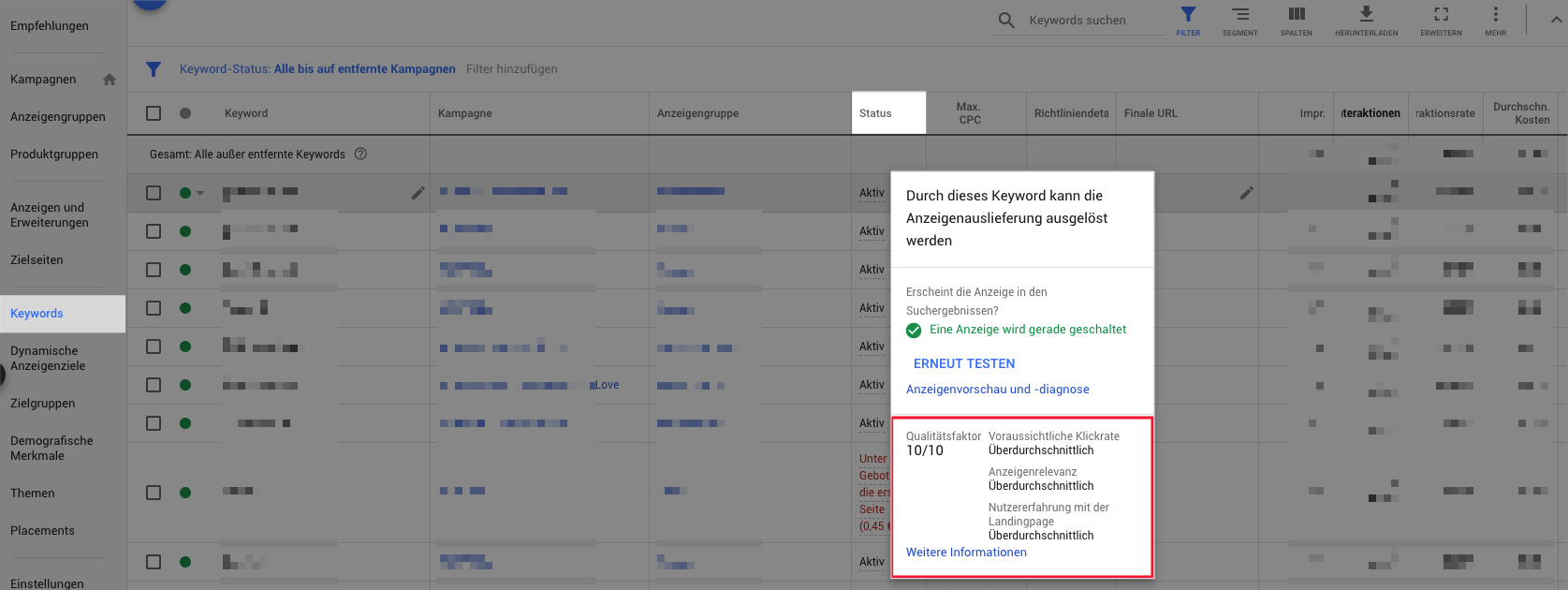
In AdWords the quality factor is divided into three factors: Expected click rate, ad relevance and user experience on the target page.

You can display all three factors individually and determine optimisation potential.

Option 1: At keyword level, click on ,Active’ in the “Status” column ↓

screenshot_24

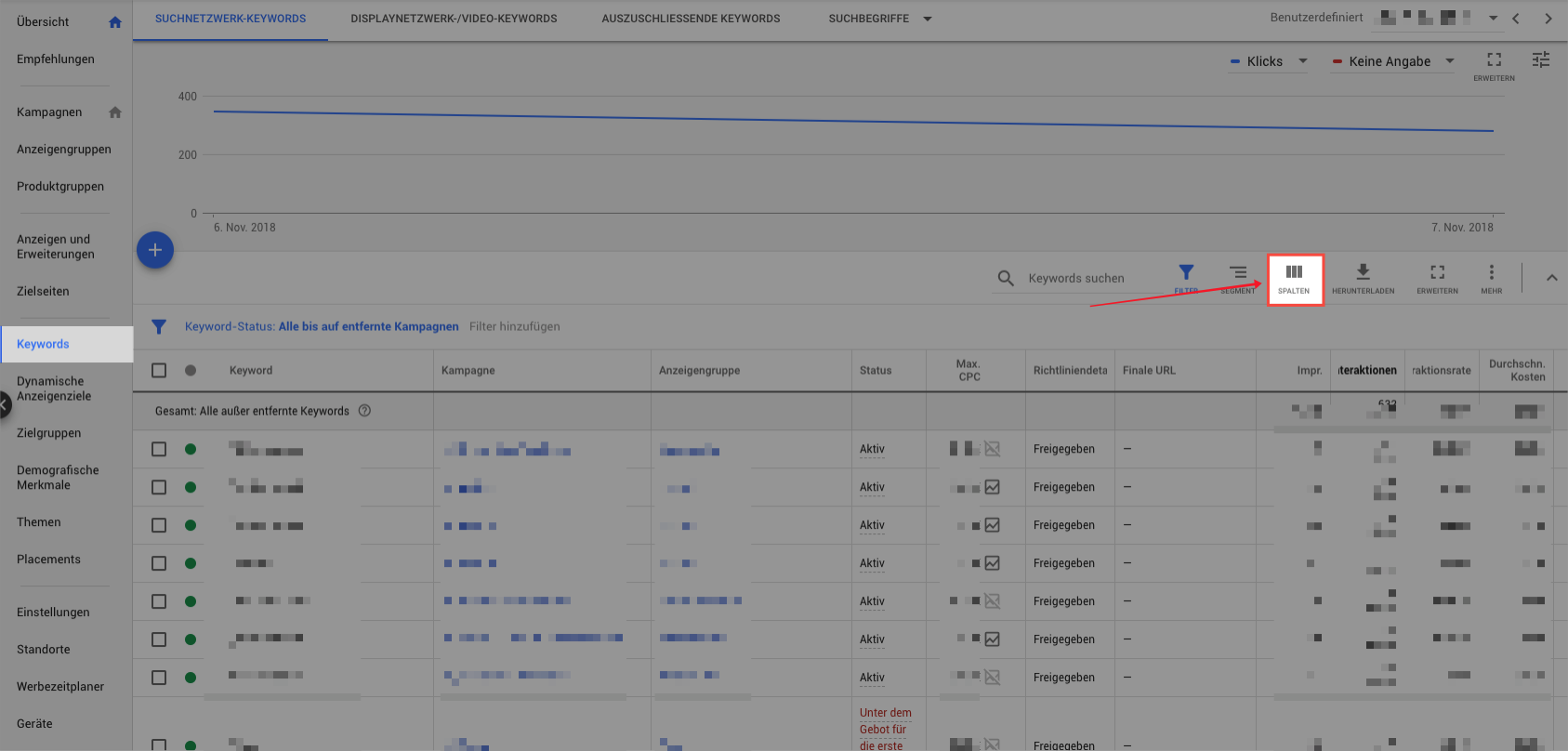
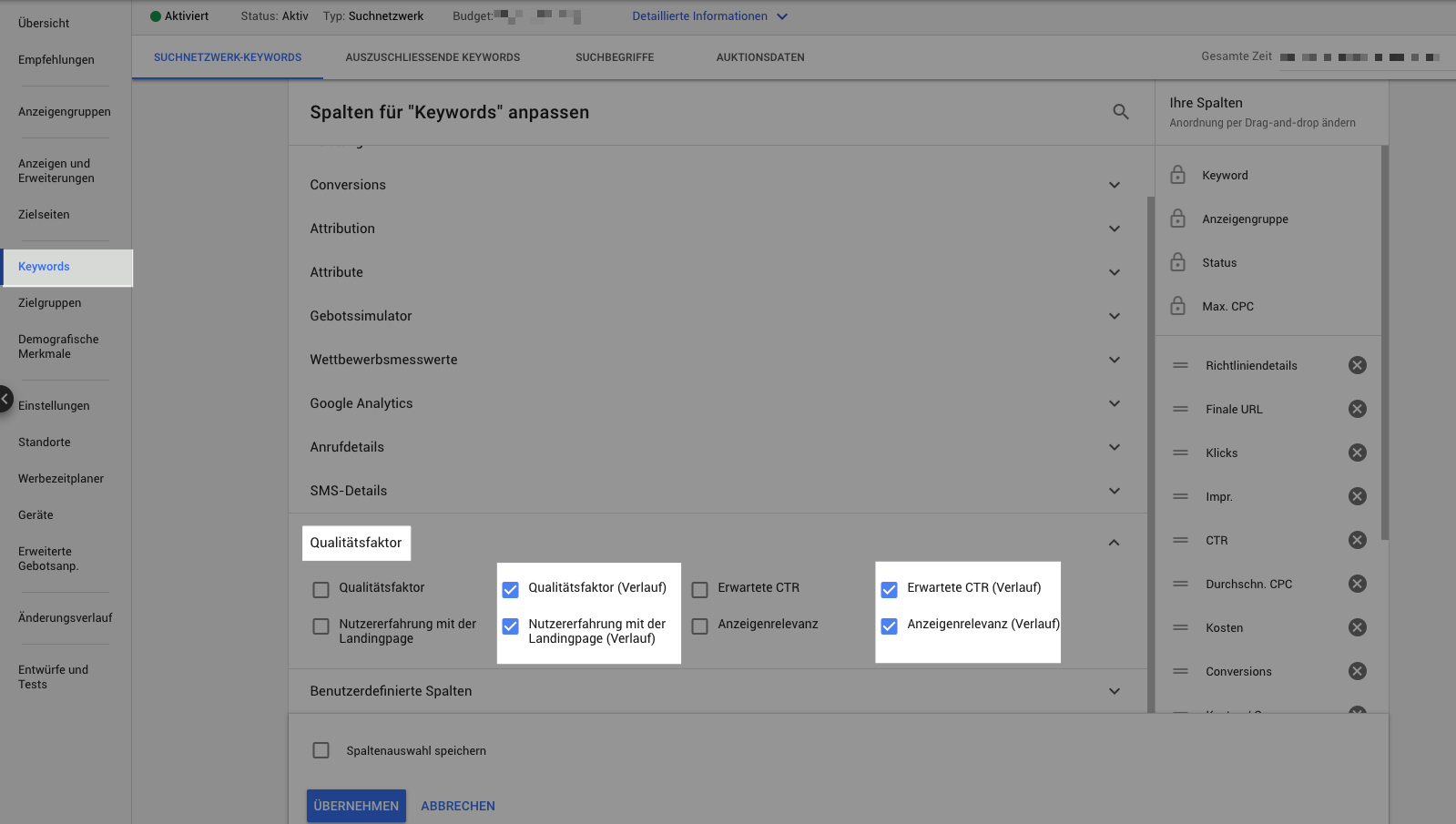
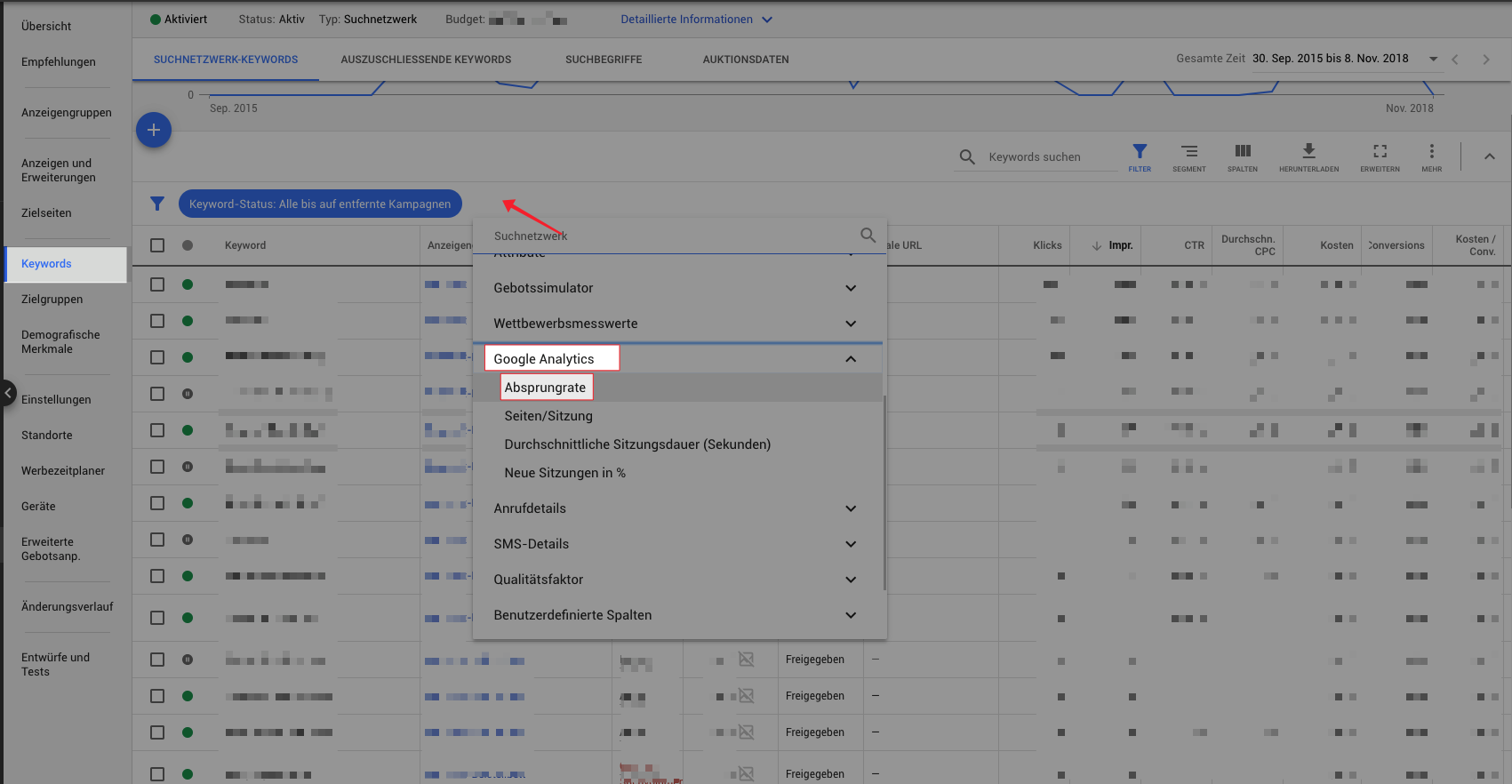
Option 2: Adding all columns to the “quality factor”.

Advantage: At a glance you can see the quality factor for all keywords of the ad group, campaign or Google Ads account

screenshot_26

You can then apply a filter and display only below average values.

Select the values with the addition (gradient) so that the values are more meaningful and do not just show the latest status.

The views “History” are important if you have made changes in the display or the target page recently.

screenshot_32

That’ how you can improve the quality factor!

Google ranks in 3 categories:

  • Below average
  • Average
  • Above average

First, select the keywords with “below average” values and hide the other values with the filter.


Tip 1: Improve expected and predicted click-through rate (CTR)

For keywords with below average click rates, you should check the ads. Ads with poor click-through rates (CTR) should be paused and new ad texts created.

Google rewards when the user’s search term appears in the ad text exactly or similarly to the keyword and in the ad description.

Example:

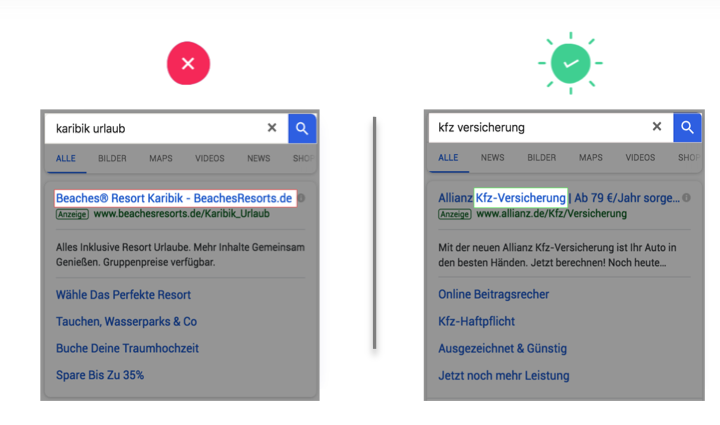
You are a travel agent and place an advertisement. A common search query is “caribbean holidays”.

The ads should contain exactly this term.


Do not:  No reference to the search term, otherwise you will get a bad click rate (CTR)

Recommendation: Use of the search term in the ad text, preferably directly in the ad title

Folie4

Best practice: 

  • Use as many relevant keywords as possible in the ad text
  • Evaluation of search terms (not keywords)
  • Adaptation of the texts to the important search terms & use in the advertisement text

Tip 2: Improve advertising relevance

You can optimise the relevance of your advertisements with appealing ads. The keywords should match the ads.

It must be immediately clear to the user what to expect on the target page!

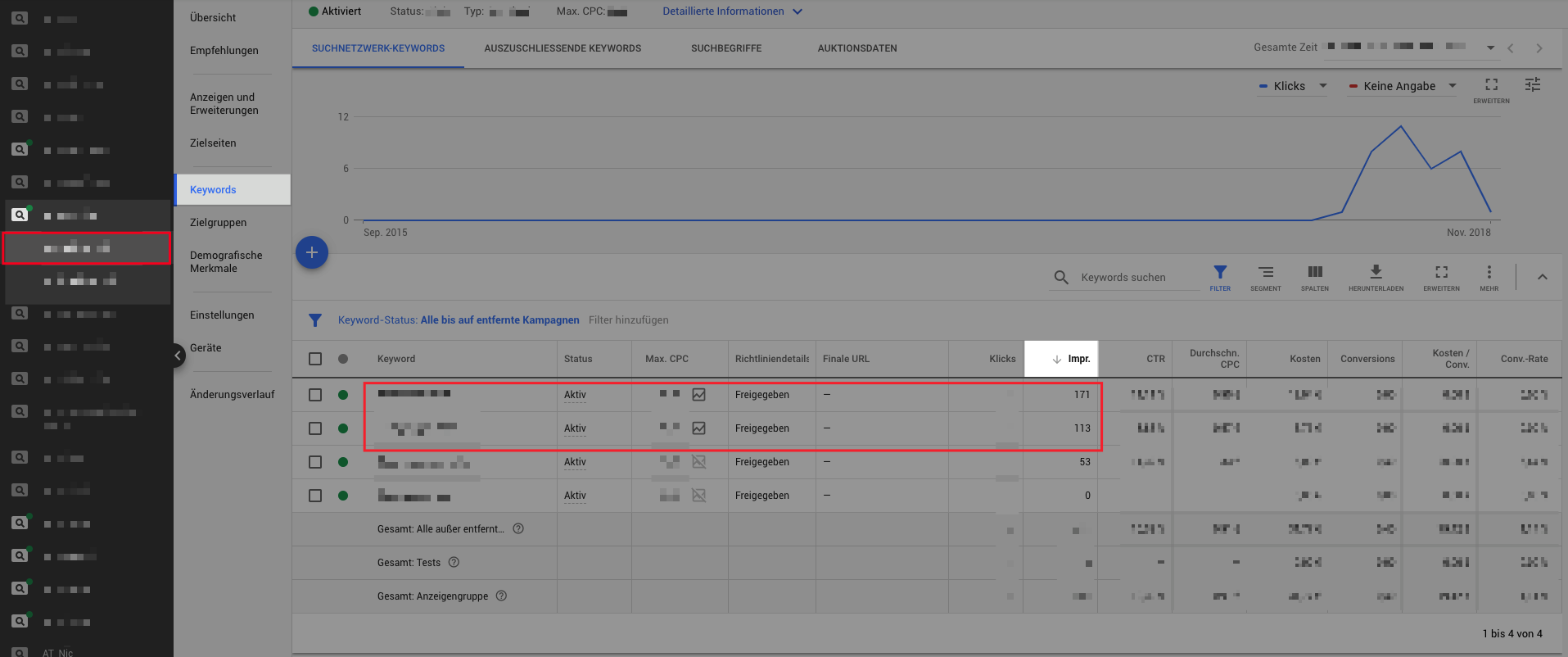
Look at the 2-3 keywords with the most impressions at ad group level.

These keywords should also definitely appear in your ad.

If you find more than 2-3 important keywords, you should:

  • Create a new ad group with new ad texts and these keywords
  • Or create an ad with a keyword placeholder so that the user’s search term automatically appears in the ad title
screenshot_28

Tip 3: Improve user experience on the landing page

The target page experience or also usability is not only important for Google or the quality factor, but above all the users of the website.

Google attaches great importance to ensuring that users receive the best possible target page for their request.

Imagine that they google something and end up on a page where you are not sure whether you will quickly find what you were looking for. What do you do then? You probably leave the page and jump off.

To avoid this, it is extremely important that you use the right landing pages for your ads and that users find their way around the site very well.

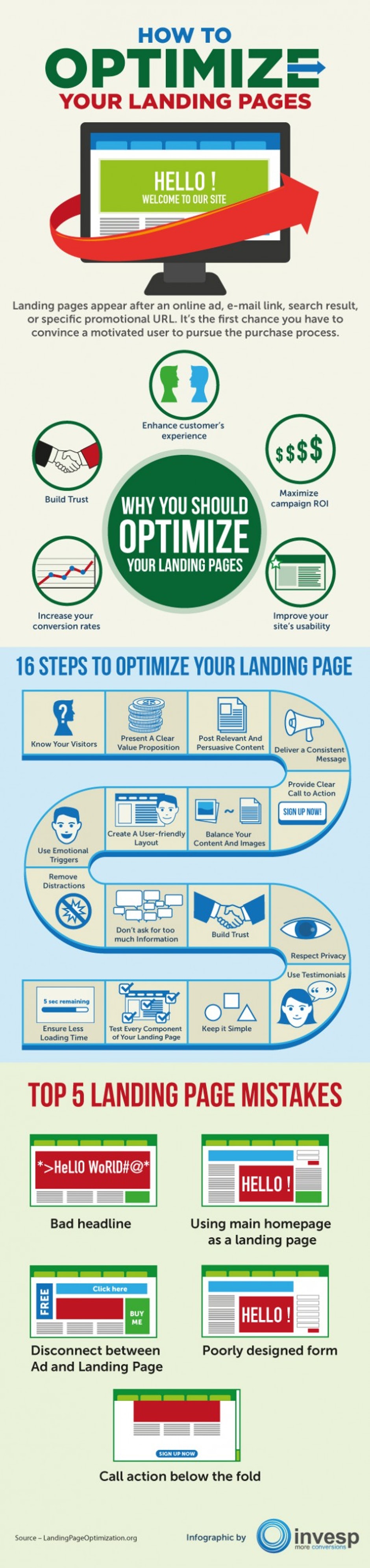
Most important factors for the landing page experience:

  • Relevance between search term and landing page
  • Bounce rate
  • Page structuring: structure, layout and navigation
  • Optimised pages for Smartphones and Tablets
  • Loading time


landing-bild
https://t3n.de/news/landing-page-optimierung-16-410510/landing-page-optimierung-2/

Source: https://www.invespcro.com/blog/landing-pages-infographic/

Tip 4: You should optimise these landing pages

Evaluate keywords with a high bounce rate.

Check whether you do not have a more suitable landing page for the search queries.

If you do not have a more suitable page, you should optimise the page or create a new landing page especially for evaluated search queries.

For keywords with high click prices and high impressions we recommend a quality factor of 7-10.

Before optimisation, use analytics or other analysis tools to find out why the target page performs so poorly.

Are mobile devices “to blame” for the poor performance?

In Analytics you can evaluate performance by device category to see if the performance is poor for desktop, tablet or mobile devices.

Or is it because of the canals?

Is the performance only so bad with AdWords or also with other channels?

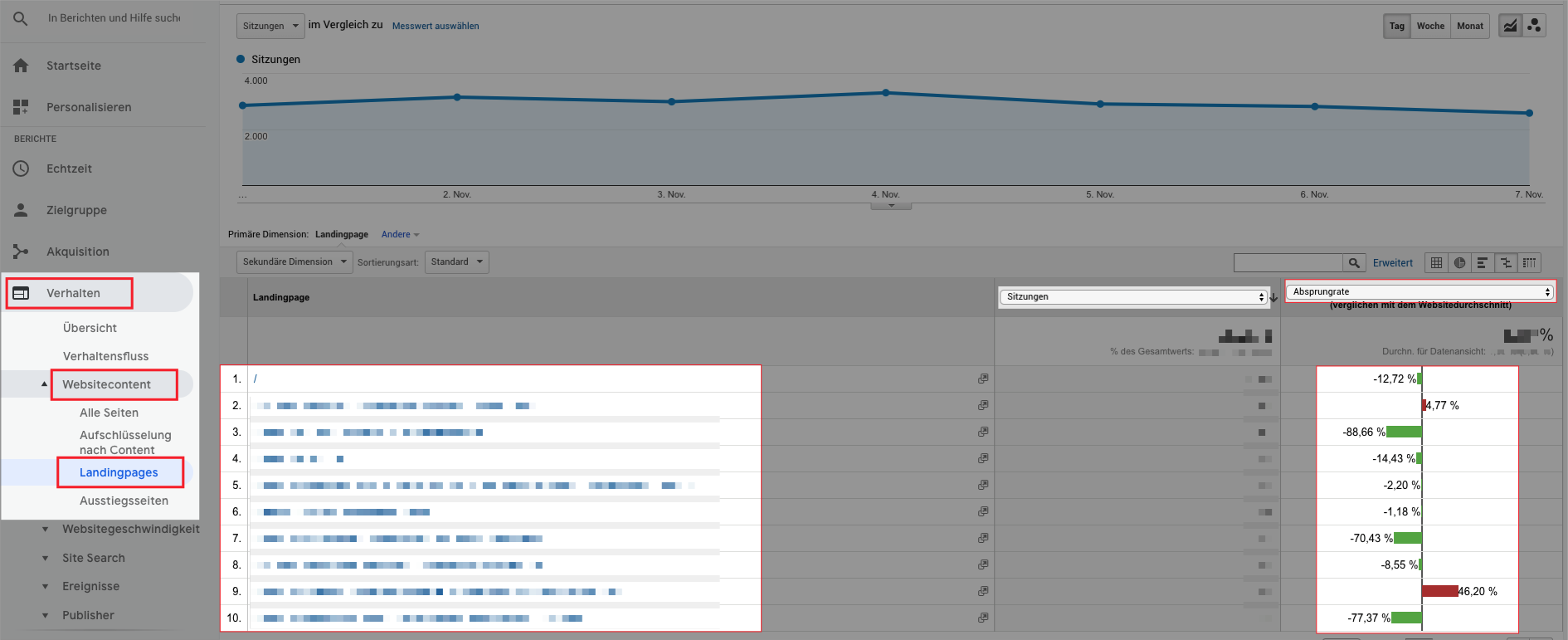
For both evaluations you can look at the values under Behaviour in Analytics and evaluate the bad target pages by adding the “secondary dimensions” “device category” and “source/medium”.

Or is the target page simply too lame?

The charging time is extremely important. For AdWords, SEO and for the users… For a quick evaluation, simply copy the URL of the target page into the Google Page Speed Tool and Google will provide recommendations.

More advanced information is available via the tool GTmetrix. Here you can also copy the URL and evaluate it.

As far as speed is concerned: The faster, the better.

Our recommendation: Less than 3 seconds


Example 1: Evaluation of bounce rates of target pages in Google Analytics:

screenshot_29

Example 2: Evaluation of bounce rates based on keywords in Google Ads:

screenshot_31

Tip 5 (Advanced): Use Google AdWords Script

There is a very good article on this topic “Say goodbye to low Quality Score with this Google Ads Script” by Search Engine Land.

In this article you will find detailed instructions on how to optimise the quality factor with a script.


Summary:

  1. Improve click-through rate through better ad texts
  2. Improve the relevance of the ads by tailoring them to important keywords
  3. Check if you can use more relevant target pages for the keywords
  4. Target times Usability & increase conversion rate through high page speed and reduction of bounce rates
  5. Use of Google Ads Script

5 Tipps Google Ads Qualitätsfaktor-Optimierung

Companies of all sizes trust us